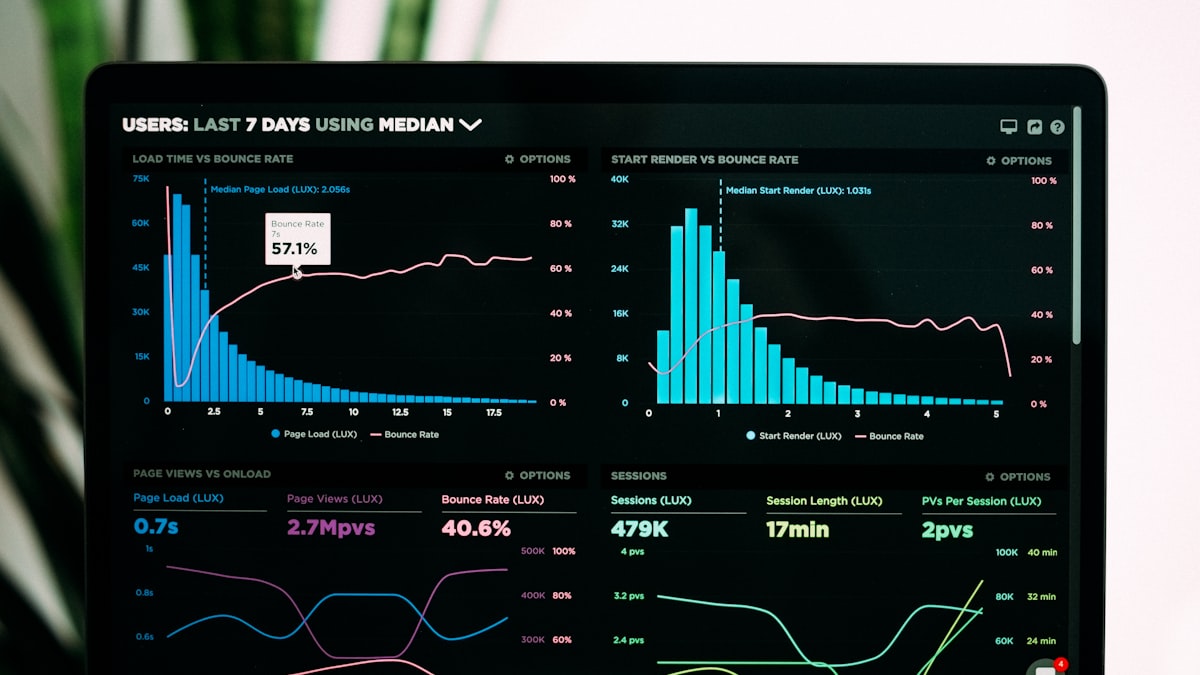
Most SaaS dashboards are built for the demo, not for the daily. They look impressive in a sales call — charts, graphs, real-time counters ticking upward — but the moment a rental business owner sits down on a Tuesday morning to figure out what needs their attention, the dashboard goes quiet. Not because it lacks data, but because it has too much of it and none of it's saying anything useful.
We built Rentablez for rental operators. Equipment rental yards, vehicle fleets, event supply companies, furniture rental businesses. These are people who run physical operations with thin margins and unpredictable days. When we started designing the Rentablez dashboard, we had to throw out almost everything we knew about analytics UI and start from what these operators actually do when they open their laptop at 7 AM.
The feature dump problem
The default instinct in SaaS design is to surface every metric you can compute. Revenue. Bookings. Cancellations. Utilization by category. Average rental duration. Customer acquisition cost. Return rate by day of week. The thinking goes: more data, more value. But rental business owners are not data analysts. They do not open a dashboard to explore trends. They open it to get answers. What is going out today? What is coming back? Is anything overdue? How did we do this week? If the dashboard cannot answer those four questions in under ten seconds, it's failed — regardless of how many charts it renders.
It isn't a simplification problem. It's a prioritization problem. The data still exists. Every metric still matters to someone at some point. The question is what earns the right to be on screen when the page first loads.
The morning check framework
We spent weeks watching rental operators go through their morning routines. Before we wrote a single line of dashboard code, we sat in rental yards, equipment depots, and event supply warehouses and watched what people did first. The pattern was remarkably consistent across business types: they check what is leaving today, what is returning today, whether anything is overdue, and how revenue is tracking against the week or month. That is it. That is the morning check.
We built the Rentablez dashboard around this framework. When you log in, you see five numbers: today's outgoing rentals, today's incoming returns, overdue items, revenue this week, and fleet utilization. These are not buried in a grid of twelve cards. They sit at the top of the page in a single row, sized by importance. The outgoing and incoming counts are large because they drive the day's logistics. Revenue is present but secondary — it's context, not action. Utilization is a health metric, a pulse check that tells you whether your assets are working hard enough.
Everything else is one click away. That is progressive disclosure applied to analytics. We don't hide complexity. We sequence it. The five numbers answer the morning check. Below them, expandable sections offer booking details, customer history, asset-level breakdowns, and trend lines. The operator who needs depth can find it. The operator who needs speed gets their answer and moves on.
Role-based views and the alert advantage
A rental business is not one person staring at one screen. The owner cares about revenue and utilization — are we making money and are our assets earning their keep? The operations manager cares about inventory status and maintenance schedules — is everything where it should be and is anything due for service? The front desk staff cares about today's bookings — who is picking up, who is dropping off, and are there any conflicts?
We built three distinct dashboard views in Rentablez, each tuned to a role. Not three dashboards — one dashboard with three lenses. The underlying data is the same. The presentation shifts to match what each role needs to act on. It's not a permissions feature. It's a cognitive load feature. Showing an operations manager the monthly revenue chart isn't wrong — it's distracting. Every pixel that does not serve the viewer's immediate task is noise.
More importantly, we learned that the best dashboard is often no dashboard at all. Alerts outperform dashboards for exception-based workflows. A rental business runs on routine — most days, equipment goes out on time, comes back on time, and revenue lands where it should. The moments that matter are the exceptions. The late return. The double booking. The asset that has been out three days past its due date. For these, a push notification or an email alert is worth more than a dashboard someone might check. We built Rentablez alerts to notify operators about the things that break the pattern, so the dashboard becomes a confirmation screen rather than a surveillance tool.
Visual hierarchy and mobile-first thinking
The most important number on any dashboard should be the biggest thing on screen. This sounds obvious, but most dashboards give equal visual weight to every metric, creating a wall of sameness. In Rentablez, the primary metric — whatever is most actionable for the current role — renders at 2x the size of supporting metrics. Context lives in smaller type beneath it. Trend indicators (up, down, flat) use color and iconography, not full charts. A rental operator glancing at their phone while walking through the yard should be able to read the number that matters without stopping.
That brings us to mobile. Rental operators are on the floor, at the counter, in the yard. They are not sitting at a desk with a 27-inch monitor. We designed the Rentablez dashboard mobile-first, which meant making hard decisions about what survives the small screen. On mobile, the morning check numbers stack vertically in order of priority. The expandable detail sections collapse to single-line summaries with tap-to-expand. Charts disappear entirely on mobile — not because they are unimportant, but because they are unreadable at 375 pixels wide and nobody is doing trend analysis on their phone between customer pickups.
Real-time versus daily: knowing the difference
Not every metric needs to update in real time. Availability does — if someone books an excavator at 2 PM, the inventory count needs to reflect that immediately. But revenue trends do not need real-time precision. A daily summary is more useful than a number that ticks up by $47 every few minutes. Real-time revenue creates anxiety without enabling action. Daily summaries create clarity.
We split the Rentablez dashboard into two data tiers. Operational metrics — availability, active rentals, overdue items — update in real time via WebSocket connections. Business metrics — revenue, utilization rate, booking trends — refresh on a daily cadence with the option to pull a fresh snapshot on demand. This distinction reduced our server load, simplified the frontend architecture, and most importantly matched how operators actually think about these numbers. Availability is a live question. Revenue is a reflective one.
What the beta taught us
We ran the Rentablez beta with fourteen rental businesses across four verticals: construction equipment, vehicle fleets, event supplies, and furniture. The feedback reshaped several assumptions. First, operators wanted their overdue count more prominent than we had placed it — late returns are the single biggest source of revenue leakage and scheduling conflicts. We moved it to position two in the morning check row. Second, the utilization rate metric needed context. A raw percentage means nothing without knowing what "good" looks like for that asset category. We added benchmarks — industry-average utilization by category — so operators can see whether their 62% utilization on power tools is strong or weak relative to peers.
The metrics that survived the beta and earned permanent spots on the default dashboard were: utilization rate (percentage of fleet currently rented), revenue per asset (monthly revenue divided by total assets), booking-to-return ratio (are more things going out than coming back, indicating growth or a scheduling problem), and late return rate (percentage of rentals returned after the due date). These four numbers, combined with the morning check row, give a rental operator a complete picture of business health in a single glance.
Dashboard design isn't data visualization. It's decision support. Every pixel on screen should either answer a question the operator already has or surface a problem they have not noticed yet. Everything else is decoration.
See Rentablez in action
Dashboards built for rental operators, not data analysts. Explore how Rentablez gives rental businesses the clarity they need to run smarter every day.
Visit Rentablez (opens in new tab)